Don't see your bike?
The catalog is growing, but it won't have every bike yet. When yours isn't there, you can build it by hand — and still get a useful checklist.
-
Tap "Don't see your bike? Add it manually"
It's at the bottom of the add-a-bike flow.
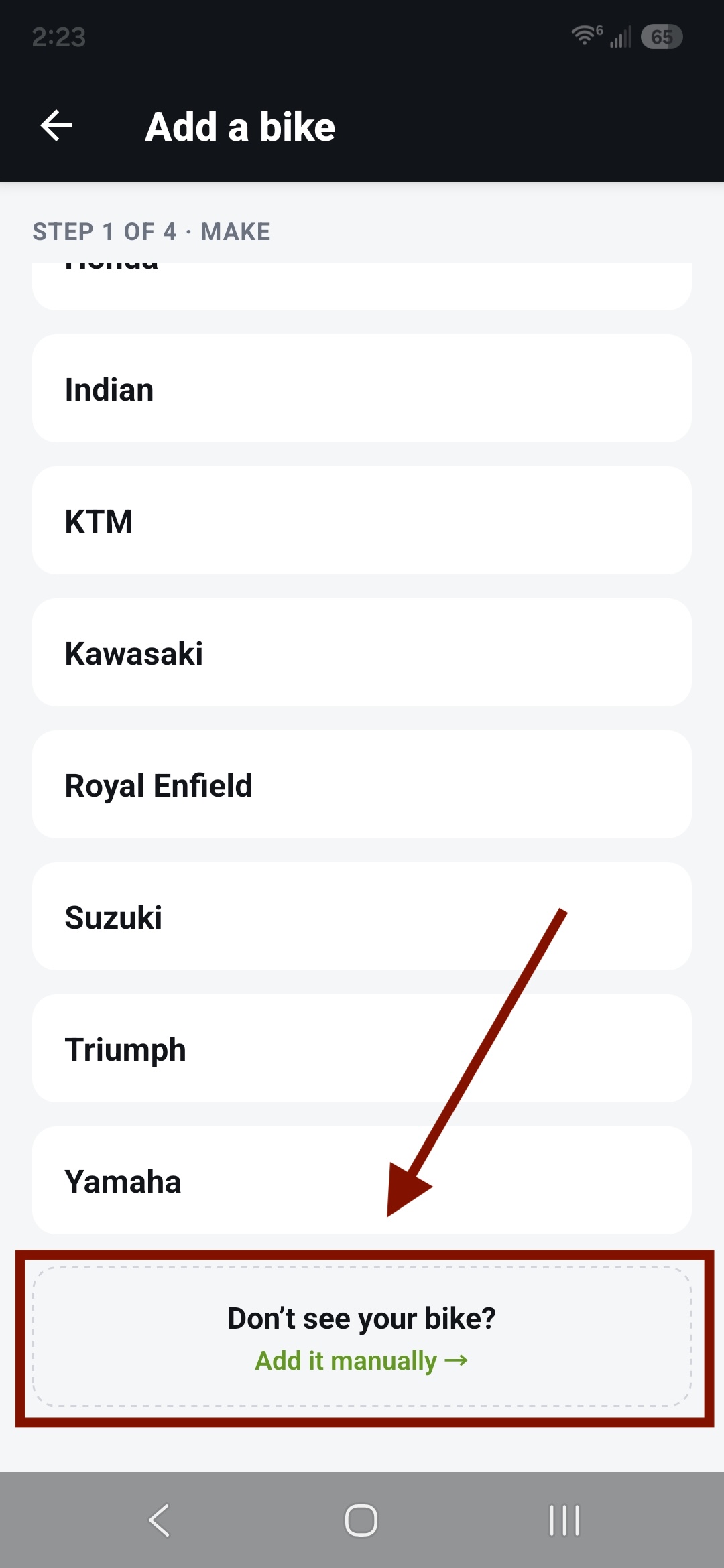
Add-a-bike screen with the manual footer -
Answer a few questions
Drive type, cooling, tires. These shape the checklist.
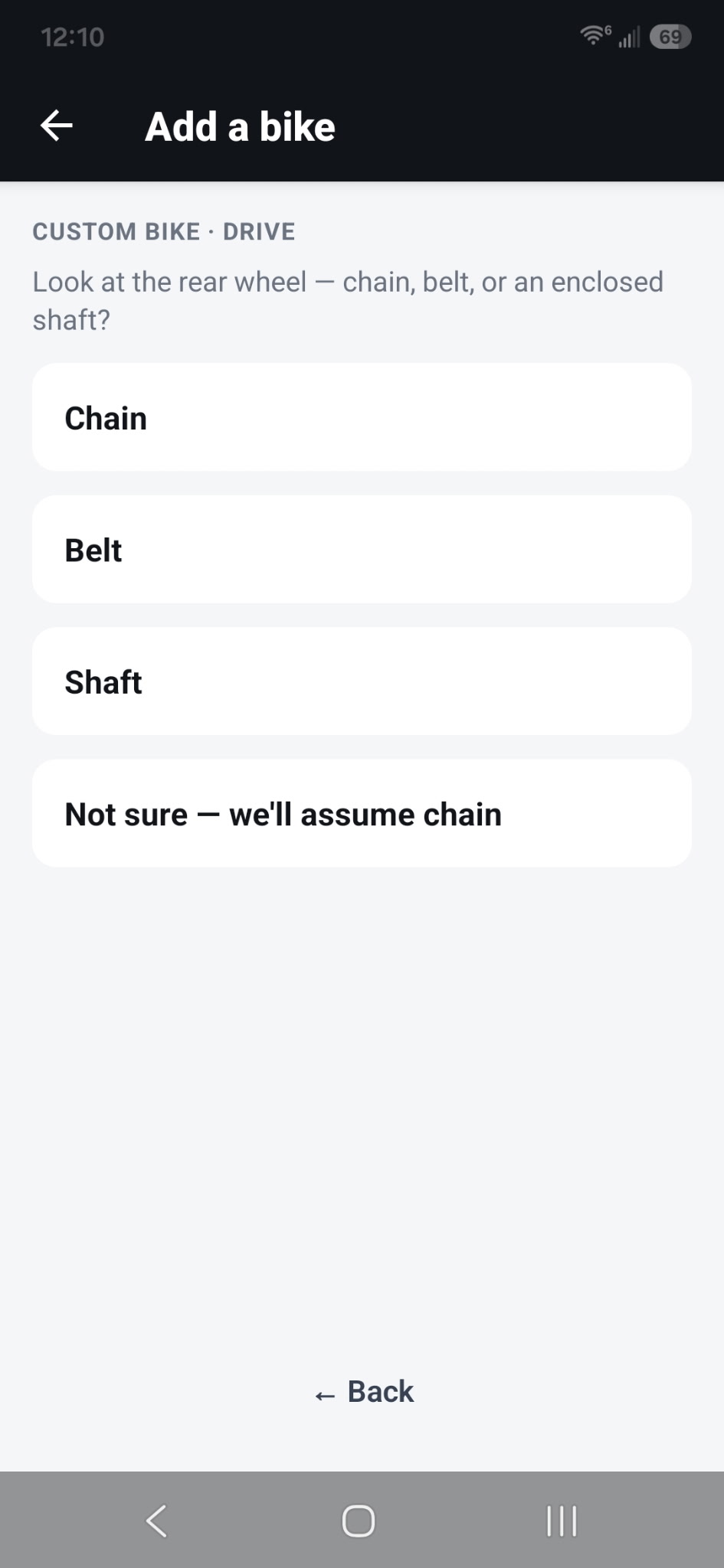
Drive step 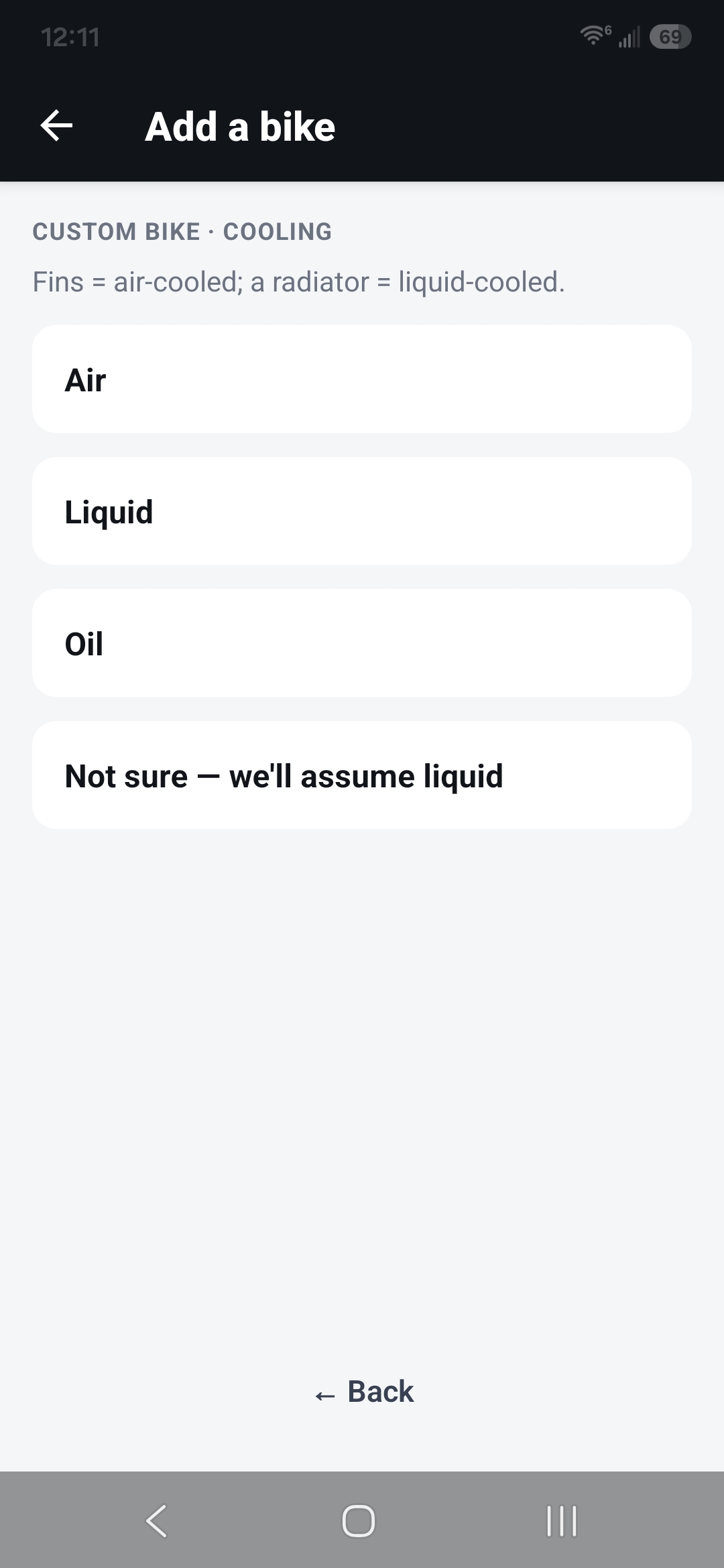
Cooling step 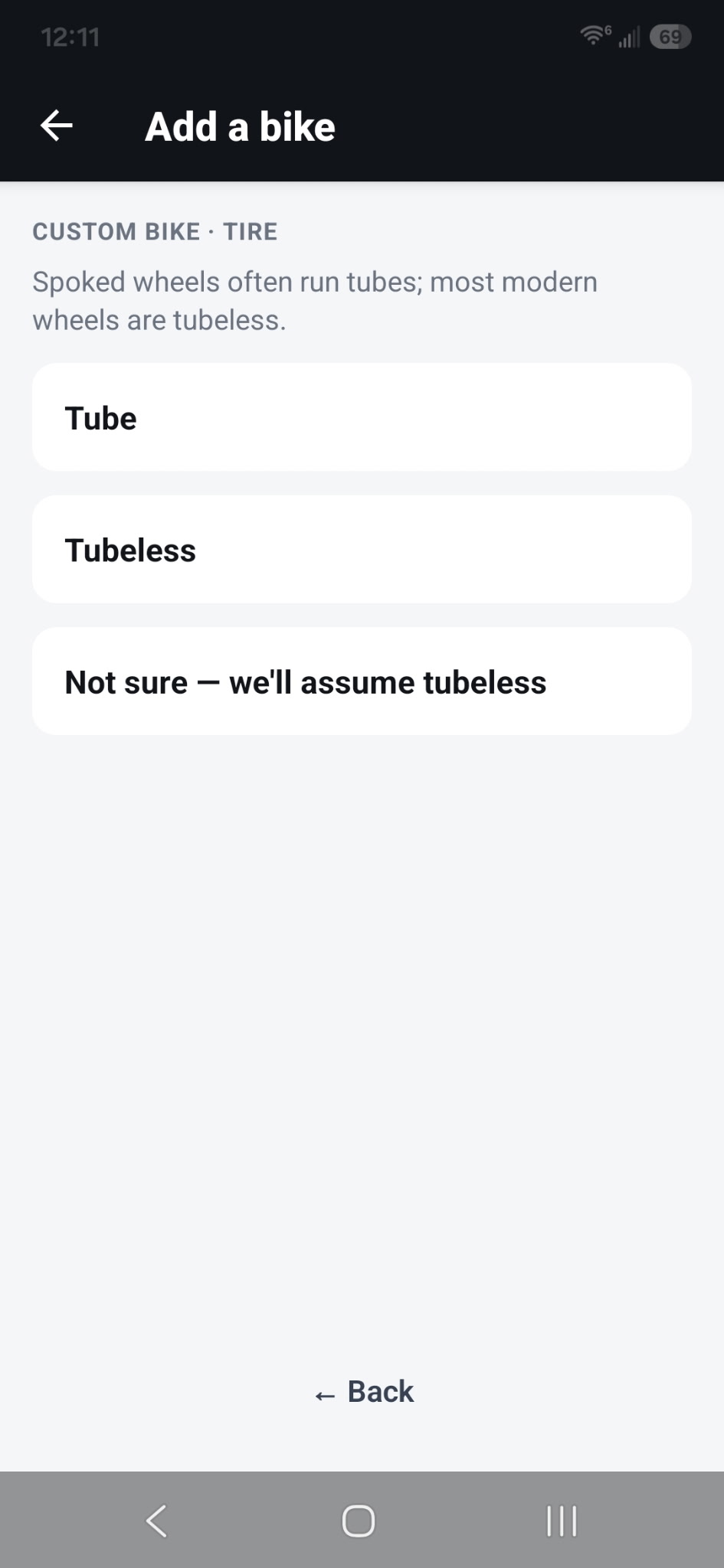
Tire step -
Add the details you want
Make, model, year, and a name are optional — add what helps you recognize it.
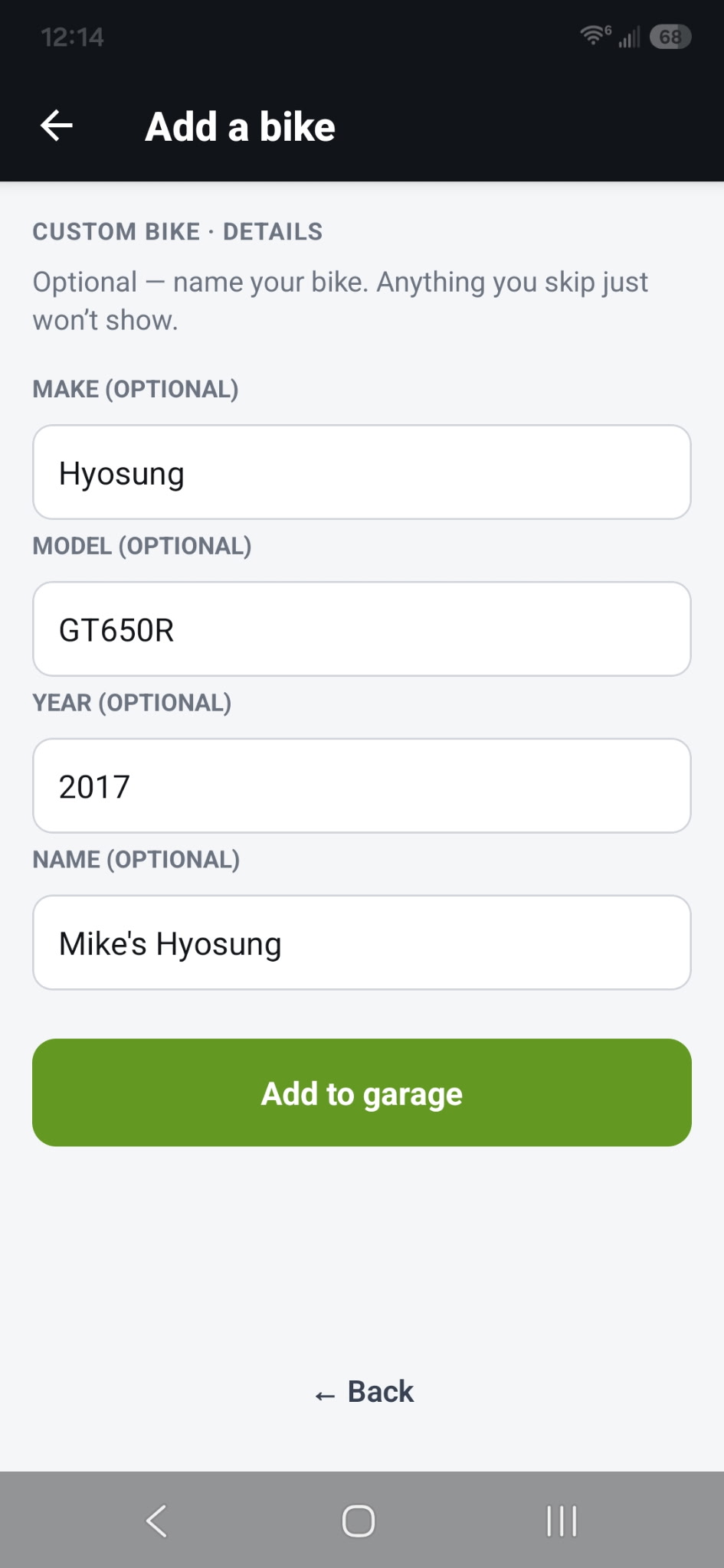
Optional details step -
Get your checklist
It's built from the details you entered. You'll see a note to verify it against your actual bike, since you filled those in by hand.
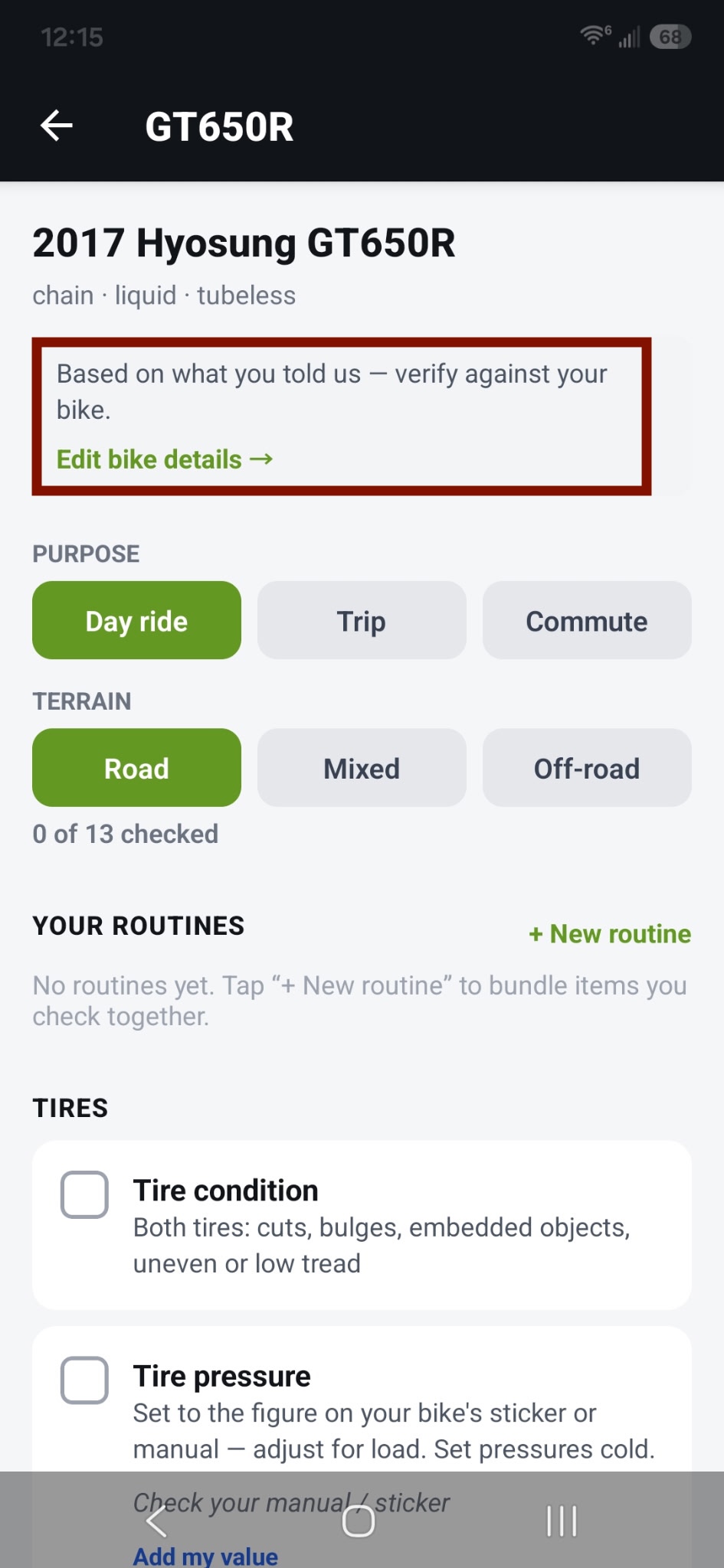
Checklist with the "verify against your bike" banner